
What is Kaboosh!?
Kaboosh brings lesson preparation, classroom games and follow-up practice together in one teaching platform. Teachers can adapt ready-made decks, create their own questions or use AI to draft editable cards, then reuse the same content across games, individual practice and homework.
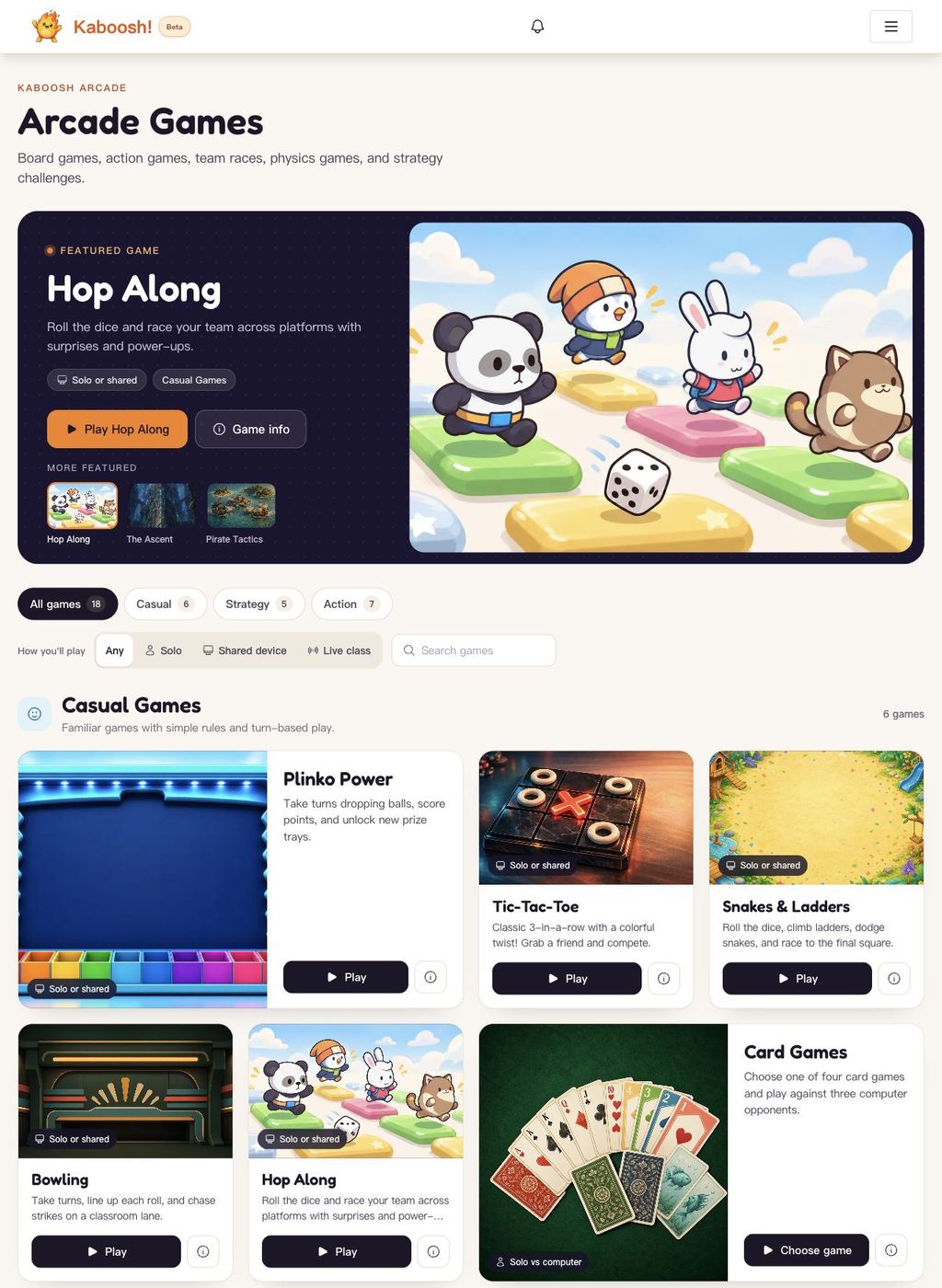
Run a whole-class activity on a shared screen, or invite students to supported live games with a room code. Activities cover recognition, spelling, sentence building, listening, speaking and independent recall. Spaced repetition schedules card reviews for each learner, helping teachers see what needs more practice.
Teachers can also present PDF and PowerPoint lessons, manage classes, assign interactive homework, create printable worksheets and turn recorded activity into learning reports. Kaboosh supports different subjects and languages through teacher-selected content, with eight interface languages.
Parents can create child accounts and support practice at home, while independent learners can build their own study decks. A free plan provides basic creation and practice within usage limits. Paid plans add more games and teaching tools; AI features and availability depend on the plan. Public game demos can be tried without an account.


 Company Company | Business Name: Kaboosh Education Ltd. HQ Location: United Kingdom Founded: 2026 |
| Age Range | 5-7, 8-10, 11-13, 14-16, 17-18, 19+ |
 Features Features | Classroom GamesSpaced RepetitionImport Or Build DecksHomework PracticeProgress TrackingVocabulary PracticeAi-assisted Deck CreationReady-made Teaching ResourcesLive Classroom ParticipationPdf And Powerpoint PresentationPrintable WorksheetsClass And Student ManagementLearning ReportsTeacher FeedbackListening And Speaking Practice |
 Languages Languages | English, German, Spanish; Castilian, French, Japanese, Korean, Portuguese, Chinese |
 Accessibility Accessibility | Moderate features |
 Policies Policies |  Terms of ServicePrivacy Policy Terms of ServicePrivacy Policy |
 Requirements Requirements | Internet - High BandwidthDesktop - MacDesktop - WindowsDesktop - ChromebookDesktop - LinuxMobile - iPhoneMobile - iPadMobile - Android Use Kaboosh in a current web browser with an internet connection. A desktop, laptop or tablet is recommended for teaching and larger-screen games. Shared-screen classroom activities need one teaching device and a display; supported live games let students join on separate devices. Audio activities need speakers or headphones, and speaking activities need a microphone and browser permission. Initial media and game downloads use more bandwidth than text-based practice. |
 Set Up Set Up | No installation is required. Public game demos can be opened immediately. To use your own materials, create an account, choose a ready-made deck or create one, then open an activity. Time for class rosters, custom decks and assignments depends on the size of the class and the materials you want to prepare. |
 Training Training | In PersonDocumentationVideos Self-service documentation and guides explain deck creation, classroom activities, homework, reports and account setup. Public game demos let teachers try the experience before preparing their own lessons. |
 Support Support | EmailFAQs/ForumKnowledge Base Support is available through email and the help centre, with product documentation and frequently asked questions for common tasks. Users can also browse the roadmap and feature requests; submitting and voting on requests is available with paid plans. |
| Home Learning | Parent Access Parents can create the account. Parents can create their own account, add child accounts, assign home-practice decks and follow recent practice and review progress. Home arcade controls include daily time limits and disabled games. Younger children need adult help with setup, choosing suitable content and using activities. |
AIAI usage This product uses AI. AI-powered features Editable flashcard and quiz generation Written-answer feedback and marking Translation Text-to-speech Speech recognition and pronunciation feedback PDF lesson summaries Technology type Natural Language Processing Technology used to understand or generate human language (e.g. chatbots, language analysis, speech-to-text) Generative AI AI that creates new content such as text, images, or video (e.g. AI-generated quizzes, lesson plans, dialogue simulations)  Computer Vision AI that interprets visual information from images or video (e.g. scanning student work, facial recognition, object tracking) Machine Learning Algorithms that learn from data to make predictions or decisions (e.g. adaptive learning, automated feedback) Robotics AI embedded in physical systems (e.g. programmable learning bots, interactive classroom robots) High-risk use settings Learner Evaluation Used to assess student performance or outcomes (e.g. grading, test scoring, proctoring, adaptive progression, academic placement) Access Determination Used to make decisions about access to, or admission into, an educational programme (e.g. automated admissions systems) Behavioural Monitoring or Detection Used to analyse behaviour, emotions, or cognitive states (e.g. engagement tracking, emotion detection) | |
Kaboosh! PricingPricing Plans FreemiumFree TrialPaid Subscription Free includes one class, up to two student accounts, five decks with up to 20 cards each, and core learning activities. Just Games is a paid subscription adding non-AI learning games, gameplay audio and unlimited local arcade play. Teacher Open adds higher deck and student limits, unlimited classes, assignments, homework, reports, presenter tools and a monthly AI-credit allowance. Monthly and annual subscriptions are available, with a seven-day Teacher Open trial. Prices are localised by currency; the starting price shown here refers to the Free plan.  Optimised for a quick response Optimised for a quick response | |


Compare Kaboosh! with...


Kaboosh! Reviews
No reviews.
This product has not received any reviews yet. Be the first!