
What is Llamaroo?
Llamaroo is an AI learning platform that helps teachers, schools, and parents turn any topic, worksheet, curriculum objective, or homework task into a safe, story-driven learning adventure for children.
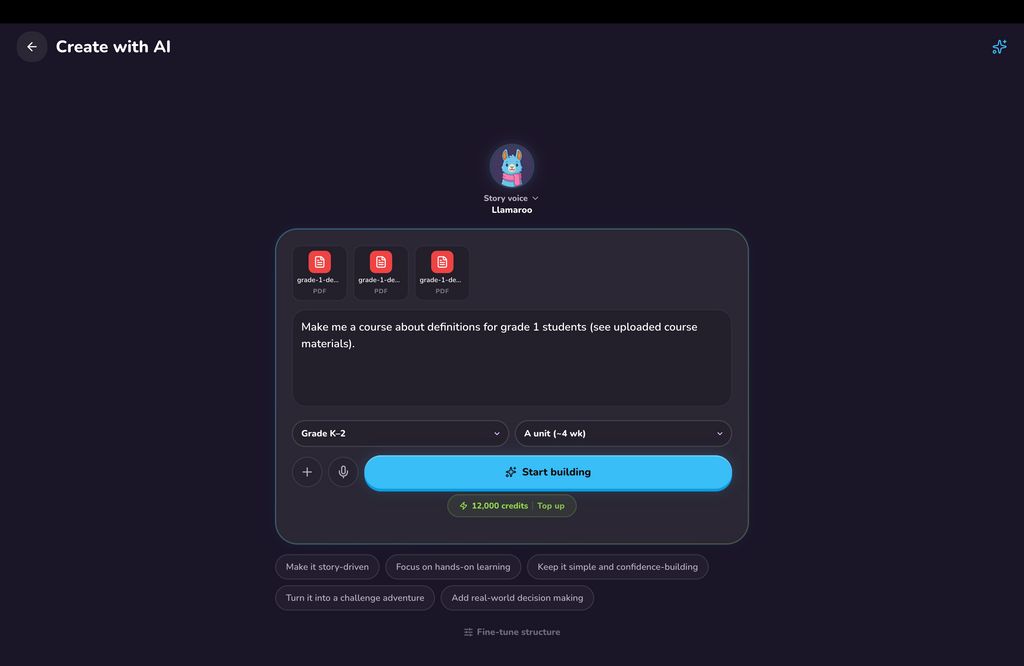
Adults create the learning experience. They can type a prompt, upload materials, or start from a topic, then Llamaroo generates an editable lesson made from structured activities such as story, choice, sorting, dialogue, collection tasks, and games. Teachers and parents can review and adapt lessons before children see them, so AI supports lesson creation without directly chatting with learners.
For schools and teachers, Llamaroo supports classroom access via class codes, student PINs, rosters, progress tracking, and differentiated lesson creation. Lessons can be aligned to US and UK education contexts, including K–6, KS1, and KS2. Teachers can adapt content by age, reading level, difficulty, activity type, and learning need, including support for SEN, SEND, EAL, ESL, IEP, 504 Plan, and mixed-ability classrooms.
For parents, Llamaroo helps turn homework, revision, hobbies, and life-skills topics into engaging learning activities that children are more likely to complete. Children do not need any personally identifiable data to use Llamaroo. No student email accounts needed. Students do not chat with any AI, and are only shown content approved and publishedby an adult.


Educational Impact


 Company Company | Business Name: Llamaroo HQ Location: United Kingdom Founded: 2026 |
| Age Range | 5-7, 8-10, 11-13 |
 Features Features | Ai Lesson GenerationCurriculum-aligned Lesson CreationWorksheet-to-lesson ConversionPrompt-to-lesson CreationUpload Learning MaterialsTeacher Lesson EditorAdult Content Review And ApprovalStory-driven Learning ActivitiesGamified LessonsInteractive QuizzesSorting ActivitiesDialogue-based ScenariosCollection ActivitiesMini-gamesStudent Progress TrackingClassroom Progress TrackingClass CodesStudent Pin AccessRoster ManagementNo Student Email RequiredNo Child Ai ChatDifferentiated Lesson CreationReading Level AdjustmentDifficulty AdjustmentSupport For Sen/send LearnersSupport For Eal/esl LearnersMixed-ability Classroom SupportUs K–6 Curriculum SupportUk Ks1–ks2 Curriculum SupportCommon Core-style AlignmentEngland National Curriculum-style AlignmentTeacher-controlled Ai ContentParent-created Learning ActivitiesHomework SupportLife-skills LearningSafe Child AccessNo AdsBrowser-based AccessTablet-friendly DesignOneroster Provisioning |
 Languages Languages | English |
 Accessibility Accessibility | Robust features |
 Policies Policies |  Terms of ServicePrivacy PolicyGDPR Terms of ServicePrivacy PolicyGDPR |
 Requirements Requirements | Internet - Low BandwidthInternet - High BandwidthDesktop - MacDesktop - WindowsDesktop - ChromebookDesktop - LinuxMobile - iPhoneMobile - iPadMobile - Android Llamaroo is browser-based and does not require installation. It works on modern desktop, tablet, and mobile browsers, including devices commonly used in schools such as Chromebooks, iPads, laptops, and Android tablets. An internet connection is required. Teachers and parents use the web app to create and manage lessons, while students access lessons through a browser using a class link, class code, or PIN. No specialist hardware is required. |
 Set Up Set Up | Most teachers and parents can start using Llamaroo in a few minutes. Account creation, workspace setup, and first lesson creation can be completed without installation or technical configuration. A simple AI-generated lesson can usually be created in under 10 minutes from a prompt, worksheet, topic, or uploaded material. Setting up a classroom with students may take around 5–10 minutes, depending on roster size. School-wide setup, roster provisioning can also be as quick as 10 minutes if using OneRoster imports. Dedicated onboarding is available for Enterprise plans if needed. |
 Training Training | In PersonLive OnlineWebinarsDocumentationVideos Llamaroo provides onboarding support through documentation, product walkthroughs, videos, and live online sessions. Teachers and parents can get started independently by creating a course, generating a lesson, reviewing the content, and sharing access with students or children. For schools, Llamaroo can provide live onboarding sessions and webinars to help staff understand AI lesson creation, classroom setup, student access, progress tracking, and safe teacher-led review workflows. |
 Support Support | EmailFAQs/ForumKnowledge BasePhone Support24/7 Live Rep Llamaroo provides support through email/help desk, FAQs, documentation, and knowledge base resources. Free users receive standard support resources, while schools and enterprise customers can receive more direct onboarding and implementation support. Support can cover account setup, lesson creation, classroom setup, student access, AI generation, billing, roster provisioning, and safe use of Llamaroo in school or home learning environments. |
| Home Learning | Parent Access Anyone can create the account. Llamaroo is available to parents through the home learning experience. Parents can create safe, story-driven learning activities for their children by typing a topic, uploading school materials, or turning homework and life-skills ideas into interactive lessons. Parents remain in control of the content: they review and approve lessons before a child plays them. Children access lessons through a private link or PIN and do not need an email account. Llamaroo does not provide open AI chat to children. AI is used by the adult to help create the lesson, while the child only sees the final approved learning activity. |
AIAI usage This product uses AI. AI-powered features AI lesson generation AI course outline generation AI curriculum alignment AI worksheet-to-lesson conversion AI material upload analysis AI reading-level adaptation AI difficulty adaptation AI differentiated content generation AI age-appropriate content generation AI output validation Technology type Generative AI AI that creates new content such as text, images, or video (e.g. AI-generated quizzes, lesson plans, dialogue simulations)  Computer Vision AI that interprets visual information from images or video (e.g. scanning student work, facial recognition, object tracking) Machine Learning Algorithms that learn from data to make predictions or decisions (e.g. adaptive learning, automated feedback) Natural Language Processing Technology used to understand or generate human language (e.g. chatbots, language analysis, speech-to-text) Robotics AI embedded in physical systems (e.g. programmable learning bots, interactive classroom robots) High-risk use settings Access Determination Used to make decisions about access to, or admission into, an educational programme (e.g. automated admissions systems) Behavioural Monitoring or Detection Used to analyse behaviour, emotions, or cognitive states (e.g. engagement tracking, emotion detection) Learner Evaluation Used to assess student performance or outcomes (e.g. grading, test scoring, proctoring, adaptive progression, academic placement) | |
Llamaroo PricingPricing Plans FreemiumPaid SubscriptionOne-Off Fee Llamaroo uses a freemium subscription model. A Free plan is available with one classroom, up to 30 students, unlimited courses, and 500 lifetime AI credits. Paid plans add more classrooms, staff collaboration, monthly AI credits, bring-your-own AI key support, community course copying, branding controls, and school administration features. Teacher Pro is available from £19/month or £179/year. School Pro is available from £279/month or £1,899/year. Annual billing is available for paid plans and provides savings compared with monthly billing. Enterprise pricing is custom for larger schools, districts, trusts, and organisations that need custom scale, onboarding, procurement support, dedicated support, and service-level terms. AI credit top-ups may also be available separately.  Optimised for a quick response Optimised for a quick response | |


Compare Llamaroo with...


Llamaroo Reviews
from 1 Verified Review
User rating
Country

James Effarah
Used Llamaroo daily for 4-6 months
Jun 2026
Everyone should have Llamaroo in their repertoire of teaching tools. The pupils I tutor are excited to see me now and they always ask me if we can continue playing more Llamaroo lessons.
James Effarah found Llamaroo:
- Builds student knowledge“Llamaroo helped fill the gaps in my curriculum and tutoring services. Many times, students would struggle with how a curriculum or lesson is formatted, and I would spend a lot of time trying to make that lesson fun and engaging. Now, Llamaroo allows me to make a fun engaging gamified lesson in 5 minutes.”
- Improves parent engagement“I share access to my Llamaroo account with the parents of the students I teach. Some also use Llamaroo privately to generate gamified lessons for topics and life skills or anything they’d like to teach their kids. Many parents and students find joy playing the lessons and experience the stories and characters together.”
- Improves teaching efficiency“Lesson planning is hard, but continually providing engaging lessons is much harder. Llamaroo helps keep students engaged and the gamified story based lessons help so much with student learning retention.”
- Reduces attainment gap“Llamaroo has helped many struggling students I tutor attain knowledge that may have been impossible for them to learn prior. I had one students struggle so hard with fractions. He loved cricket. So I generated a 10 lesson course for him about cricket and fractions for Year 3’s. He was hooked and he finally started to understand.”
- Reduces teacher workload“Llamaroo takes 5 minutes to upload materials, write a prompt, align with year and curriculum, and generate lesson. It’s a breath of fresh air.”