
What is Chorus?
NUITEQ Chorus is a comprehensive education solution where innovation meets practicality to address the challenges of modern learning. In today’s dynamic educational landscape, preparing students for future workplaces requires more than traditional teaching methods. NUITEQ developed Chorus to integrate diverse skill-building techniques, harness digital technology for accessibility and inclusivity, optimise content delivery, and reduce teacher workload - all while prioritising educator well-being. Chorus is designed not just to support teaching, but to transform it - empowering both students and teachers.
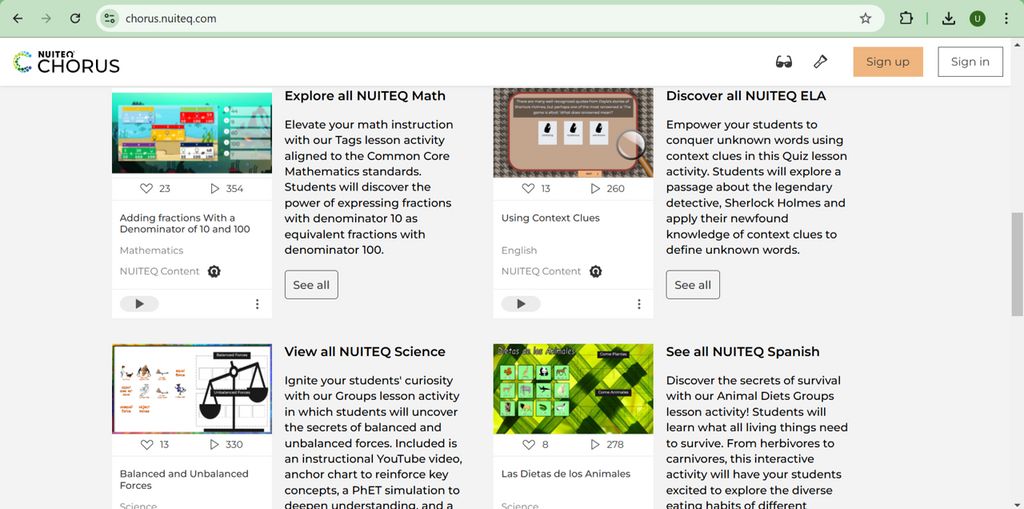
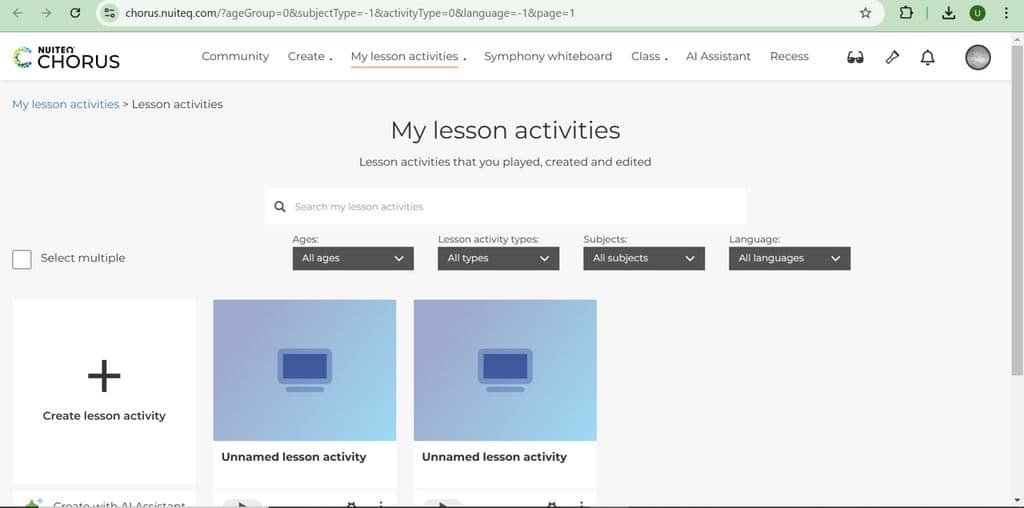
Chorus offers a wide range of functionalities that streamline lesson planning and classroom execution. Educators can create interactive content, track student progress, and collaborate with peers. The platform supports multimedia integration, allowing the use of videos, images, and digital resources to enrich the learning experience. In addition, built-in analytics tools enable teachers to assess student performance and tailor instruction accordingly. This data-driven approach enhances educational outcomes and promotes a more personalized learning environment.
In schools, Chorus is typically implemented as part of a broader digital transformation strategy. It integrates smoothly with existing IT infrastructure and educational technologies. Training sessions are provided to help educators become familiar with the platform’s features, and support systems are often put in place to ensure successful adoption. By embedding Chorus into their educational framework, schools can create a dynamic, interactive learning environment that equips students with the skills needed to thrive in the 21st century.


 Company Company | Business Name: Natural User Interface Technologies AB (NUITEQ) HQ Location: Sweden Founded: 2007 |
| Age Range | 5-7, 8-10, 11-13, 14-16, 17-18 |
 Features Features | Interactive Content CreationStudent Progress TrackingMultimedia IntegrationAnalytics ToolsCollaboration Features |
 Languages Languages | English, Spanish; Castilian |
 Accessibility Accessibility | Moderate features |
 Policies Policies |  Terms of ServicePrivacy PolicyGDPR Terms of ServicePrivacy PolicyGDPR |
 Requirements Requirements | Available OfflineInternet - Low BandwidthInternet - High BandwidthDesktop - MacDesktop - WindowsDesktop - ChromebookMobile - iPhoneMobile - iPadMobile - WindowsMobile - Android Chorus requires a stable internet connection and is compatible with most modern web browsers. It can be accessed on various devices, including desktops, laptops, and tablets. |
 Set Up Set Up | Setting up Chorus is straightforward and can typically be completed within a few hours, depending on the school's existing IT infrastructure. |
 Training Training | In PersonLive OnlineWebinarsDocumentationVideos Chorus provides comprehensive training sessions for educators to ensure they are well-versed in using the platform effectively. These sessions cover all aspects of the platform, from basic navigation to advanced features. Additionally, online resources and tutorials are available for continuous learning and support. Schools can also request customized training sessions tailored to their specific needs and educational goals. |
 Support Support | EmailFAQs/ForumKnowledge Base Chorus offers a dedicated support team available to assist users with any technical issues or questions. Support is accessible via email and live chat, ensuring prompt responses to inquiries. Additionally, a comprehensive online help center provides users with guides, FAQs, and troubleshooting tips. Schools can also opt for premium support packages that include personalized assistance and priority response times. |
| Home Learning | Parent Access School must create the account. Chorus supports the daily teaching and learning process fully |
AIAI usage This product uses AI. AI-powered features Content generation Content adaptation AI Translations Retrieval augmented generation Technology type Natural Language Processing Technology used to understand or generate human language (e.g. chatbots, language analysis, speech-to-text) Generative AI AI that creates new content such as text, images, or video (e.g. AI-generated quizzes, lesson plans, dialogue simulations) Computer Vision AI that interprets visual information from images or video (e.g. scanning student work, facial recognition, object tracking)  Machine Learning Algorithms that learn from data to make predictions or decisions (e.g. adaptive learning, automated feedback) Robotics AI embedded in physical systems (e.g. programmable learning bots, interactive classroom robots) High-risk use settings Access Determination Used to make decisions about access to, or admission into, an educational programme (e.g. automated admissions systems) Behavioural Monitoring or Detection Used to analyse behaviour, emotions, or cognitive states (e.g. engagement tracking, emotion detection) Learner Evaluation Used to assess student performance or outcomes (e.g. grading, test scoring, proctoring, adaptive progression, academic placement) | |
Chorus PricingPricing Plans Free TrialPaid Subscription Chorus pricing starts from $199 / per-user Chorus pricing is based on a subscription model, with costs varying depending on the number of users and specific features required. Schools can contact NUITEQ for a customized quote.  Optimised for a quick response Optimised for a quick response | |


Compare Chorus with...


Chorus Reviews
No reviews.
This product has not received any reviews yet. Be the first!