
What is SpellMe?
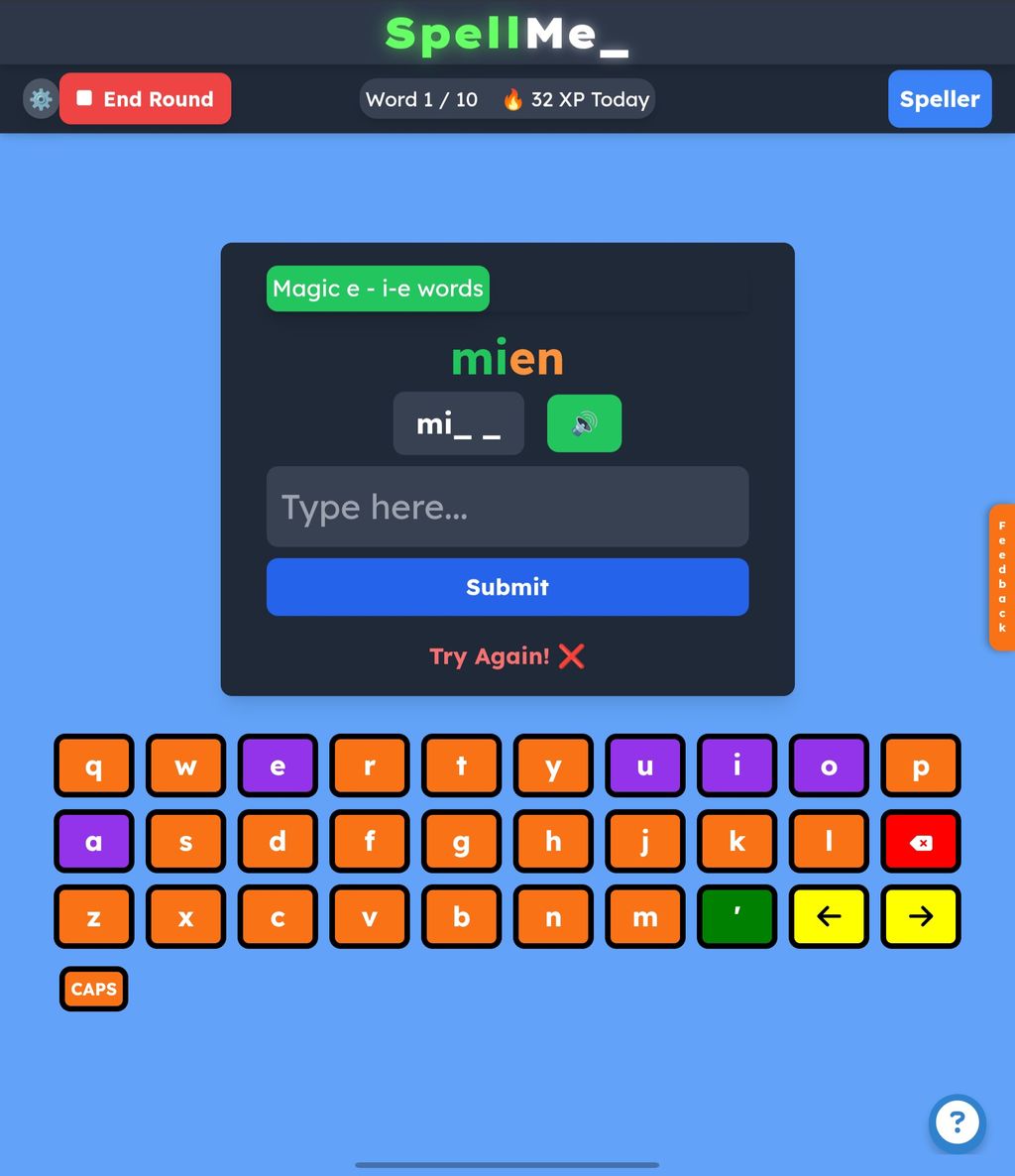
SpellMe is an interactive educational application designed to help learners master spelling through gamified practice. The platform offers a distraction-free, classroom-ready interface that engages users with interactive spelling challenges tailored to their specific needs. SpellMe serves as a practice companion for short, focused sessions rather than replacing traditional teaching methods, making it an ideal supplement for both classroom and home learning environments. The application works across most browser-based devices including Windows, Mac, Linux, iOS, and Android, ensuring broad accessibility for all users.
The key capabilities of SpellMe include gamified learning experiences that make spelling practice engaging and interactive. The platform provides smart spelling tips that focus specifically on the letters users struggle with, helping to address individual learning needs. Users can choose from daily challenges organized by difficulty levels (from Green to Black), curated word lists, or create their own custom word lists for targeted practice. SpellMe also offers comprehensive progress tracking features that monitor accuracy, points, coins, and improvement over time, allowing both learners and educators to visualize development and identify areas needing additional focus.
In educational settings, SpellMe is implemented as a supplementary tool that supports existing spelling curriculum. Teachers can utilize the curated phonics word lists based on structured literacy/phonics themes for spelling practice, or create custom lists aligned with their classroom objectives. The platform's special user interface provides a clear, distraction-free environment, in Lexend font (for accessibility), that works well in classroom settings. SpellMe is particularly valuable for differentiated instruction, supporting all types of learners whether they're catching up or getting ahead. The broad device compatibility ensures that SpellMe works effectively on school devices, even with low bandwidth, making it accessible for various educational environments regardless of their technological resources.


 Company Company | Business Name: SpellMe Ltd HQ Location: United Kingdom Founded: 2025 |
| Age Range | 5-7, 8-10, 11-13, 14-16 |
 Features Features | Gamified LearningSmart Spelling TipsClassroom-ready DesignProgress TrackingCurated Word ListsBroad Device Compatibility |
 Languages Languages | English |
 Accessibility Accessibility | Moderate features |
 Policies Policies |  Terms of ServicePrivacy PolicyGDPR Terms of ServicePrivacy PolicyGDPR |
 Requirements Requirements | Internet - Low BandwidthInternet - High BandwidthDesktop - MacDesktop - WindowsDesktop - ChromebookDesktop - LinuxMobile - iPhoneMobile - iPadMobile - WindowsMobile - Android Works on most browser-based devices, including Windows, Mac, Linux, iOS, Android. Compatible with low bandwidth connections. |
 Set Up Set Up | Users can use SpellMe immediately even without registration. There is no setup time needed. |
 Training Training | In PersonLive OnlineWebinarsDocumentationVideos Documentation on how to access and use features is available. Online training is available on request. |
 Support Support | EmailFAQs/Forum The website features a help section with faqs at https://spellme.app/help. Users can also contact us at https://spellme.app/blog/contact-us |
| Home Learning | Parent Access Parents can create the account. |
AIAI usage This product uses AI. AI-powered features Story generation Story generation word definitions Technology type Generative AI AI that creates new content such as text, images, or video (e.g. AI-generated quizzes, lesson plans, dialogue simulations)  Computer Vision AI that interprets visual information from images or video (e.g. scanning student work, facial recognition, object tracking) Machine Learning Algorithms that learn from data to make predictions or decisions (e.g. adaptive learning, automated feedback) Natural Language Processing Technology used to understand or generate human language (e.g. chatbots, language analysis, speech-to-text) Robotics AI embedded in physical systems (e.g. programmable learning bots, interactive classroom robots) High-risk use settings Access Determination Used to make decisions about access to, or admission into, an educational programme (e.g. automated admissions systems) Behavioural Monitoring or Detection Used to analyse behaviour, emotions, or cognitive states (e.g. engagement tracking, emotion detection) Learner Evaluation Used to assess student performance or outcomes (e.g. grading, test scoring, proctoring, adaptive progression, academic placement) | |
SpellMe PricingPricing Plans FreemiumFree TrialPaid Subscription SpellMe pricing starts from £12 / year Free Guest account is available without registration: Daily challenge, 1 word list of 5 words Free Basic account is available for more features. All the above plus 5 word lists of 10 words, plus curated word list access Advanced account costs £12 per year: all the above plus unlimited word lists of 20 words, plus mastery mode and result monitoring Premium account costs £20 per year: all the above plus smart AI features  Optimised for a quick response Optimised for a quick response | |


Compare SpellMe with...


SpellMe Reviews
No reviews.
This product has not received any reviews yet. Be the first!